01 / Software & Situational Awareness
Updated 30 September 2026
SpectreTAK
One console. Your networks, connected.
SpectreTAK brings team positions, device health and network management into a TAK-based console. Connect ATAK, WinTAK and iTAK alongside Meshtastic, MeshCore and Reticulum/LXMF through configured gateways. Messaging uses supported clients, while the web console manages maps, devices, gateways and live Reticulum status.
- ATAK · WinTAK · iTAK
- Meshtastic
- MeshCore
- Reticulum / LXMF
- Map Purge
- Live RNS
- Self-hosted / VPS
A shared operational picture
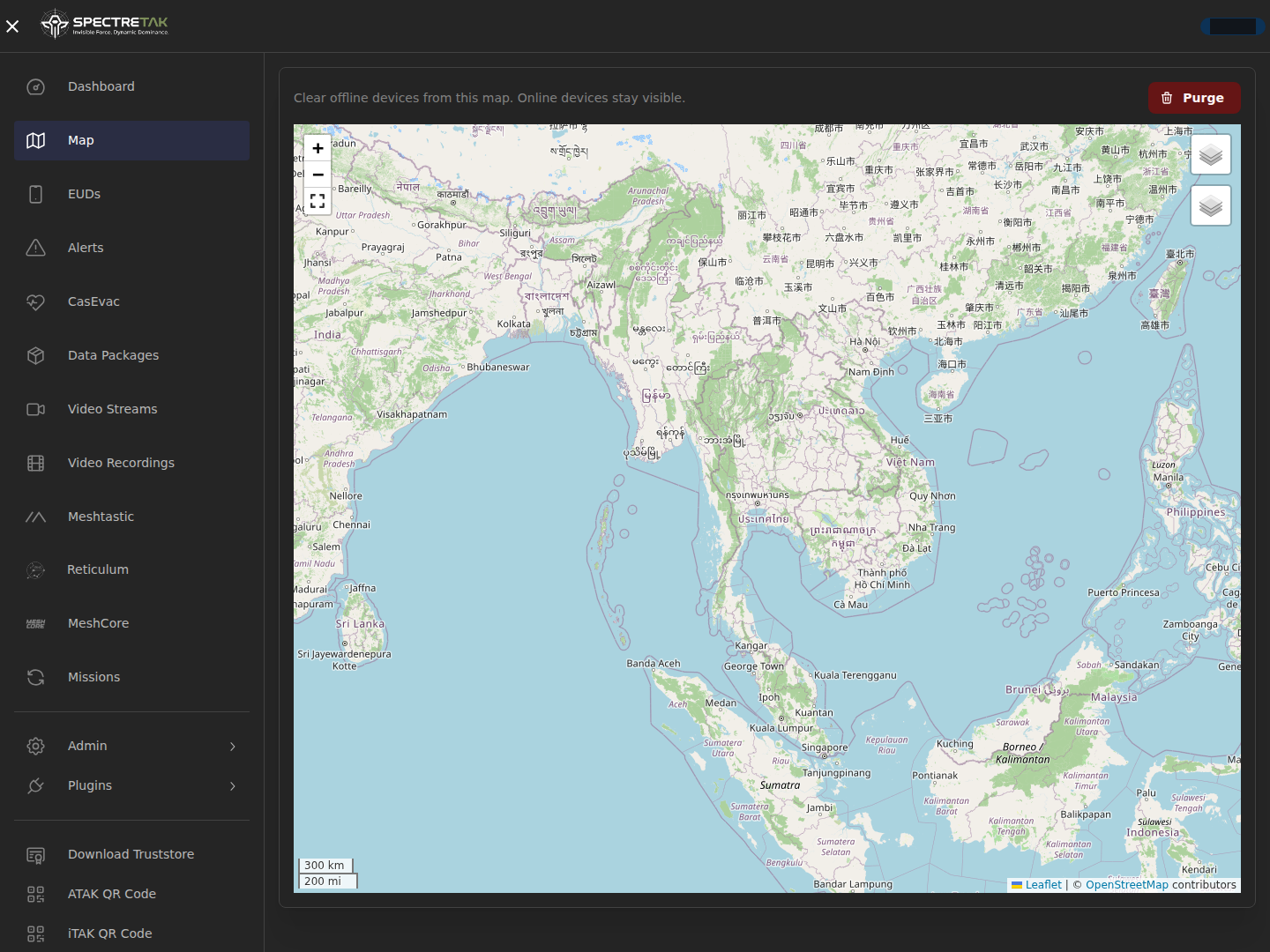
See connected team positions and markers on the map. Manage missions and data packages for supported TAK clients through their IP connection.
Clear offline devices with Purge
Hide Disconnected or Expired devices from your browser map, with the selection retained across reloads. Accounts, certificates, position history and saved markers are retained. Reconnection or newer activity restores the device.
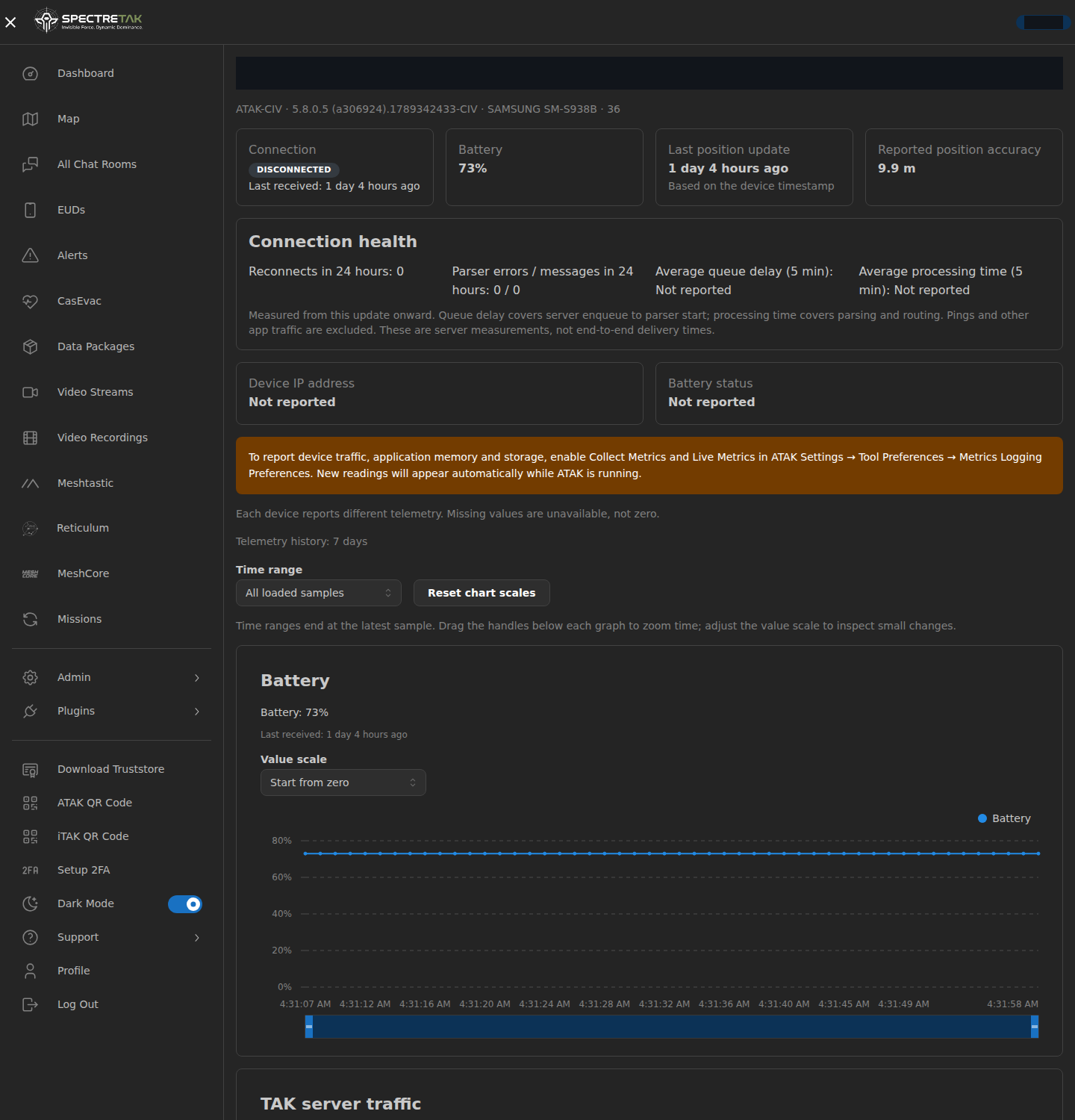
Device health with context
Compare battery and server CoT traffic, check connection history and data age, and adjust graph time ranges and value scales. Native diagnostics appear when the client reports them.
Messaging through your clients
Route TAK, Meshtastic, MeshCore and Reticulum/LXMF text through supported clients and gateways. The web chat page has been removed; client messaging and media APIs continue to operate.
Thai text that stays readable
Long Meshtastic and MeshCore messages are split into numbered UTF-8 parts within each radio payload budget. Native apps can read the text without the image receiver.
Small images over compatible mesh links
Media APIs and compatible clients support mesh images up to 8 KiB. Compatible receivers reconstruct image bytes; LXMF uses native image fields. Radio transfer may take minutes and needs hardware validation.
Gateway access you can manage
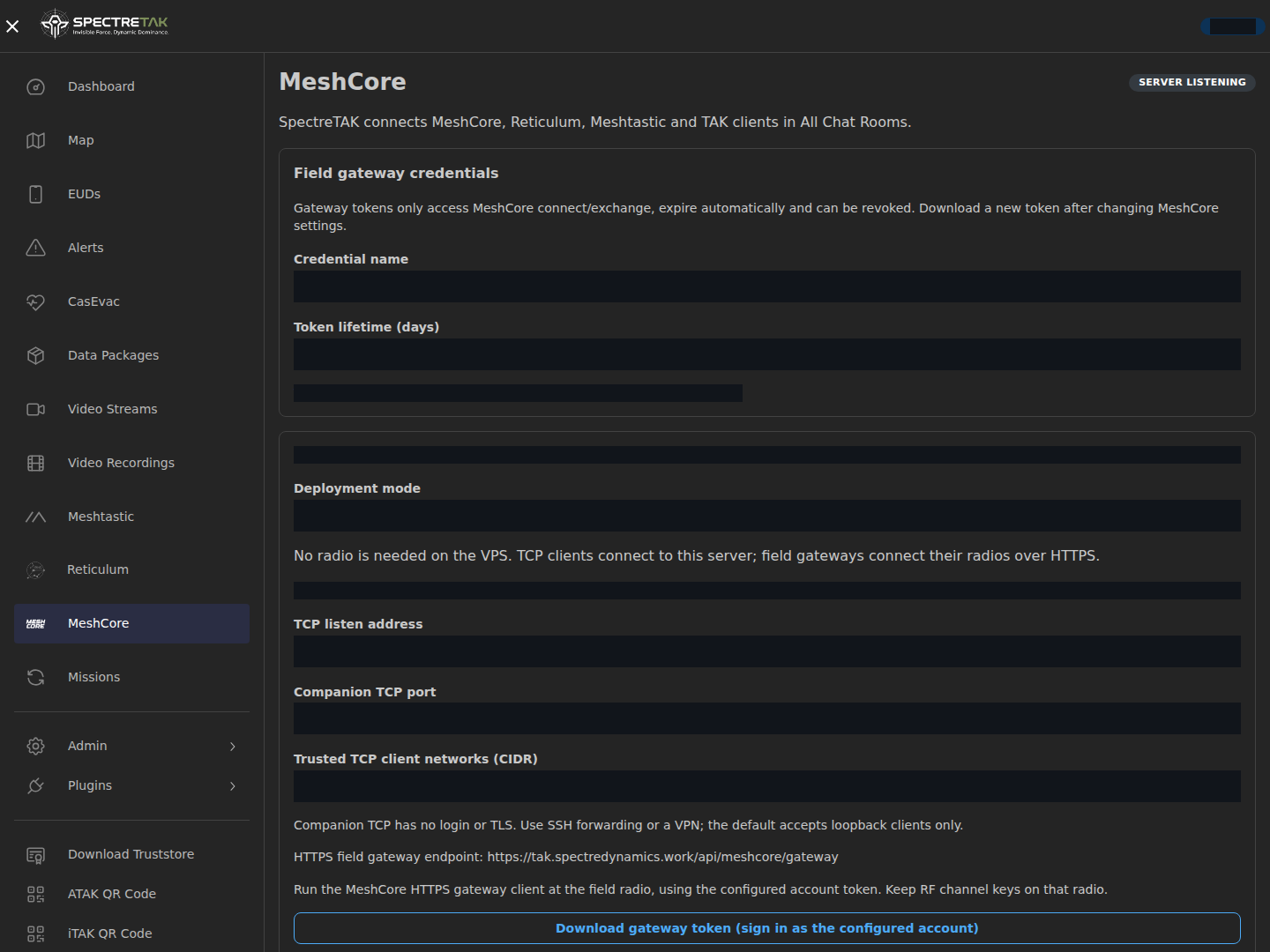
Issue MeshCore gateway credentials with a 1–30 day lifetime and revoke them from the console. Credentials authorize gateway connection and exchange, with account and channel checks.
History under your control
Configure telemetry retention and battery sampling. Chat images have automatic cleanup and bounded storage. Each user can hide disconnected Reticulum devices without deleting their history.
Deploy on your infrastructure
Host on your own server or VPS, enroll TAK clients with certificates and bind mesh identities to active accounts. MeshCore radios connect through field gateways; the VPS needs no attached radio.
Video and voice alongside
Use separately configured MediaMTX video streams and recordings, and optional Mumble voice with SpectreTAK accounts. These services use IP connections.
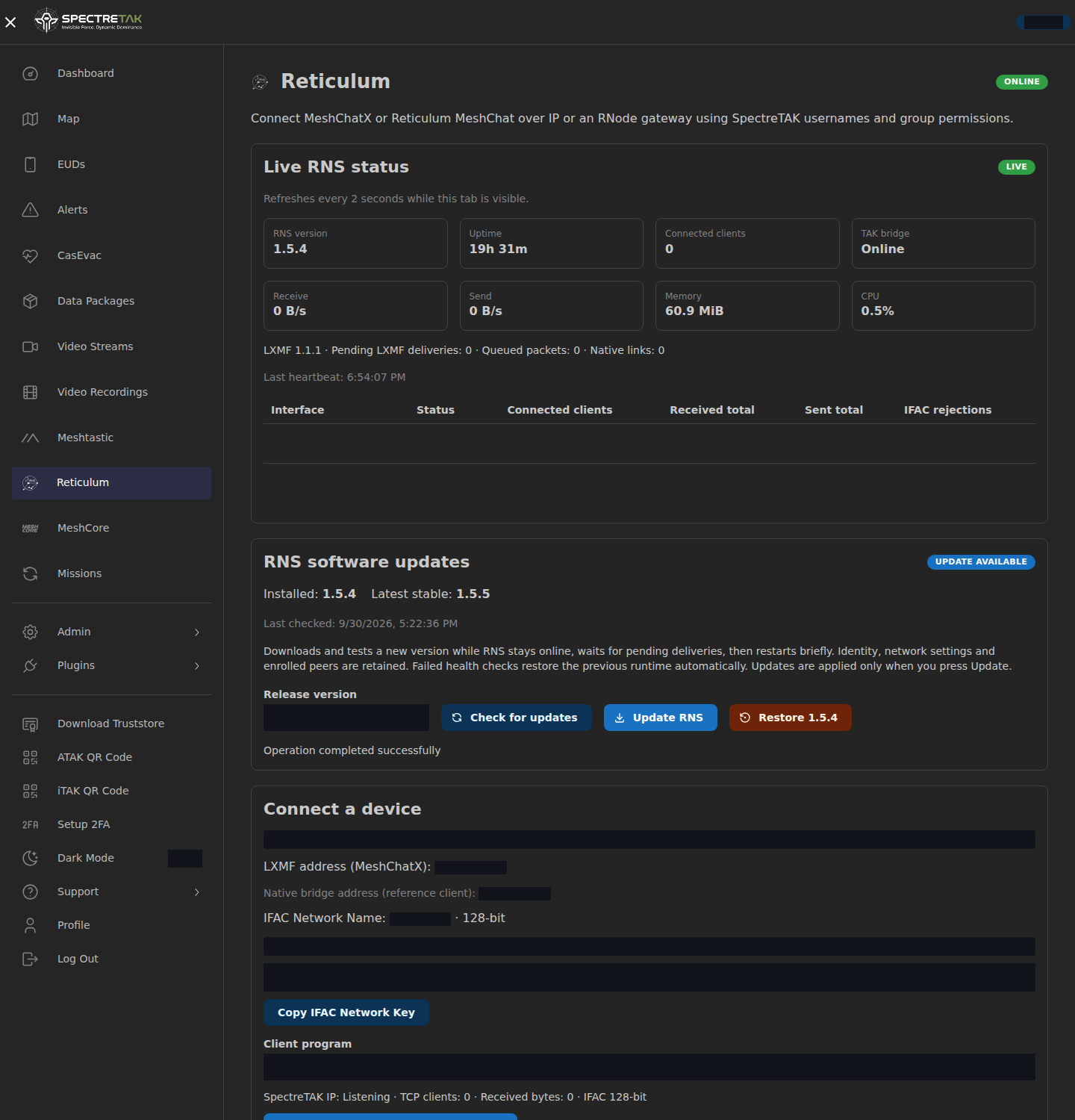
Live Reticulum status
Inspect RNS/LXMF versions, uptime, clients, CPU/RAM, traffic, pending deliveries and interface counters. The visible page refreshes every two seconds and marks failed status reads as stale.
RNS updates and version restore
Administrators select an official PyPI stable release. The updater verifies SHA256, prepares an isolated environment and checks health before accepting the switch. Failed checks restore the previous runtime. Identity and configuration are retained; switching briefly restarts RNS.
Optional authenticator MFA
Users can opt into authenticator MFA for the web console through Setup 2FA, then use an OTP at login. MFA is optional under the current policy and is separate from TAK certificates, SSH and API tokens.
Server resource overview
The dashboard shows total, used and free disk space alongside total, used and available memory. Review uptime and clearly labelled server information when maintaining the deployment.
TAK + MESH
Different networks. One place to coordinate.
Keep the clients your team uses. SpectreTAK connects TAK and three mesh ecosystems through defined paths. The web console manages maps, gateways and system status; messaging uses supported clients.
- Shared map + Purge
- Device health
- Live RNS status
- Client messaging
Client messaging uses the shared room for enrolled active accounts. The web chat page is removed. Location permissions remain separate; group/team-color chat separation is planned.
Find your connection path
Choose a network to see how it connects and what the current integration carries.
ATAK · WinTAK · iTAK
TAK
Connect supported TAK clients with account access and certificate enrollment. Bring positions, shared markers, mission data and native GeoChat into familiar workflows.
- Connection
- TAK / IP
- Position
- Team positions and shared map markers
- Text
- Native GeoChat through supported TAK clients
- Images
- Use media APIs and compatible clients; image display in unmodified ATAK 5.8 is not verified.
Compatible LoRa nodes
Meshtastic
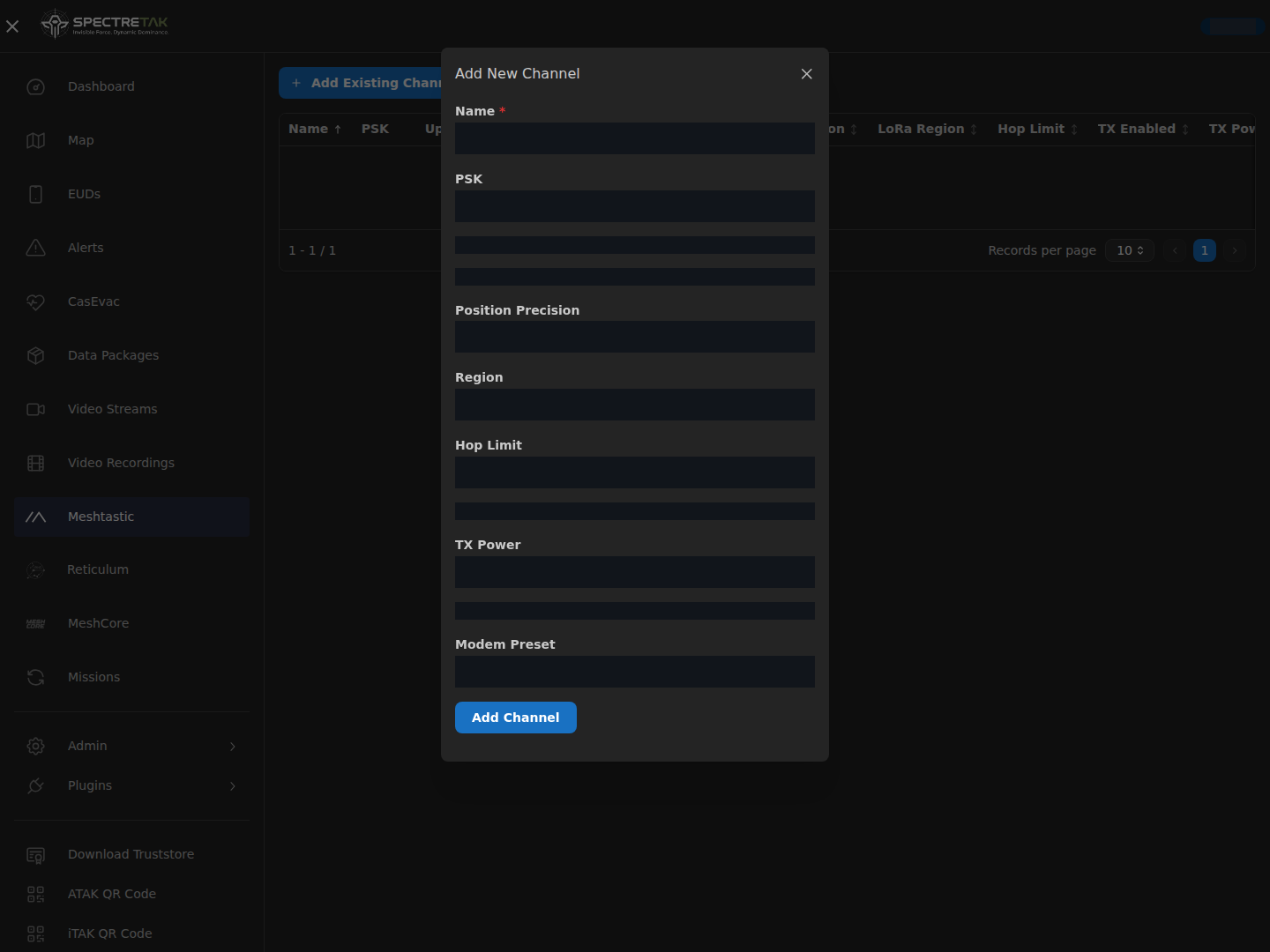
Bridge a configured Meshtastic network to TAK through MQTT. Manage channel settings, uplink/downlink and PSKs, then share a channel using a QR code or URL.
- Connection
- MQTT gateway
- Position
- Supported position reports through the configured gateway
- Text
- Native channel text; long Thai and UTF-8 messages use numbered parts
- Images
- Small image files require the SpectreTAK image receiver; standard phone apps show ordinary text.
VPS + field radio gateways
MeshCore
Run the central server without an attached radio. TCP-capable clients connect through SSH or VPN; a field computer connects its radio to the server over HTTPS.
- Connection
- Companion TCP / HTTPS gateway
- Position
- The virtual Companion endpoint is for chat and does not advertise radio positions.
- Text
- Shared channel text; long messages use numbered parts
- Images
- Compatible receivers reconstruct small image files. RF acknowledgements and automatic retransmission are not implemented.
MeshChatX · Reticulum MeshChat
Reticulum / LXMF
Bind Reticulum identities and LXMF addresses to active accounts. Download a client profile and bring readable identity names, text and compatible location telemetry into the team workflow. Monitor live RNS/LXMF status and let administrators select software updates or restore the previous runtime from the console.
- Connection
- Reticulum links / LXMF
- Position
- Compatible signed location telemetry, with existing IN/OUT group permissions
- Text
- Signed LXMF text with account and identity display names
- Images
- Native LXMF image attachments on compatible clients; radio interfaces require configured RF hardware.