SpectreTAK: shared maps, mesh messaging and live Reticulum status
Current SpectreTAK capabilities: map Purge, TAK and mesh client messaging, device health, live RNS monitoring, managed updates and optional MFA.
SpectreTAK connects TAK, Meshtastic, MeshCore and Reticulum/LXMF through a central server. The current web console handles maps, device health, gateways and Reticulum monitoring. Messaging runs through supported clients and the existing routing and media APIs; the web chat page has been removed.
Four connection paths
- TAK: Supported ATAK, WinTAK and iTAK clients connect over IP using accounts and certificate enrollment. Positions, shared markers, missions and data packages use the TAK workflow.
- Meshtastic: A configured MQTT gateway connects the LoRa network to the server. Manage channels, uplink/downlink and PSKs, then share channel settings with a QR code or URL.
- MeshCore: The VPS offers virtual Companion TCP for compatible IP clients through SSH or VPN. A computer beside a field radio connects to the central server using the HTTPS gateway; no radio is required on the VPS.
- Reticulum/LXMF: Bind identities and LXMF addresses to active accounts. Compatible MeshChatX and Reticulum MeshChat clients use downloaded profiles; supported signed location telemetry follows the existing location permissions.
These paths meet at the server. They do not make the radio protocols directly interoperable. Gateways need an IP route to the central deployment.
A map you can clear without deleting records
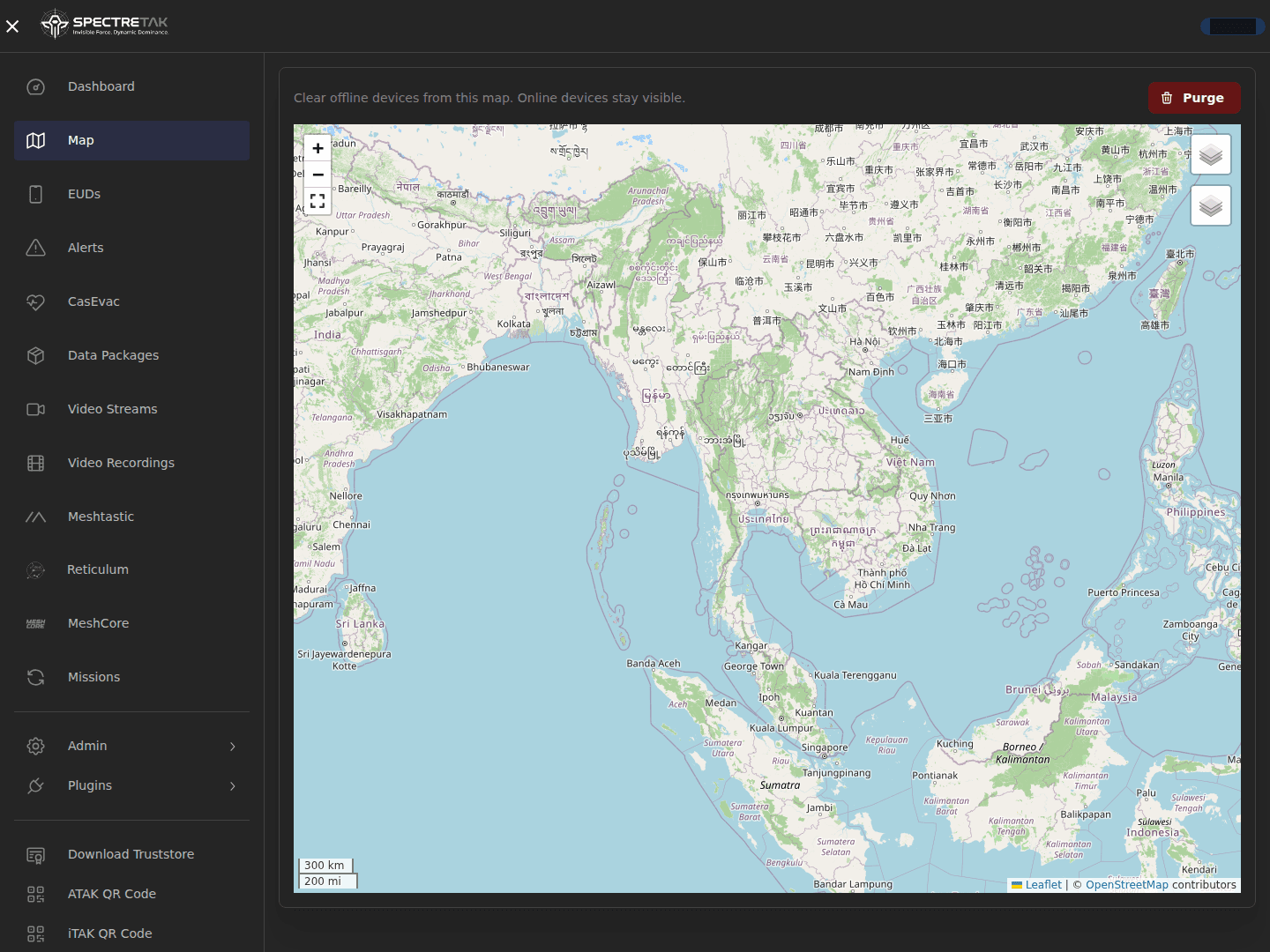
Purge hides devices marked Disconnected or Expired from the current viewer's browser map. Connected and unknown-status devices, saved markers, lines and casevacs are retained. The hidden-device selection persists across reloads for that user. Reconnection or newer position/activity brings a device back.
Purge retains server accounts, enrollment, certificates and position history. If its status request fails, it clears nothing.
Device health in context
Read connection status separately from the age of the latest position or report. Inspect battery, server CoT traffic, connection history and client-reported diagnostics with adjustable chart ranges and scales. Unsupported or unreported readings remain unavailable. Telemetry retention, battery sampling and image cleanup have separate controls.
The server dashboard also shows total, used and free disk space, total, used and available memory, uptime and clearly labelled server information.
Messaging through supported clients
TAK, Meshtastic, MeshCore and Reticulum/LXMF continue to exchange text through their configured clients and gateways. Long Thai and other UTF-8 messages on Meshtastic and MeshCore use numbered parts within radio payload limits. Messaging uses the shared room for enrolled active accounts; location permissions remain separate. Group and team-color chat separation remains planned.
Compatible media APIs and clients support mesh images up to 8 KiB. Receivers must reconstruct the image bytes; LXMF uses native image fields. Standard Meshtastic and MeshCore phone apps do not assemble these image fragments. RF loss, multi-hop performance and image display in unmodified ATAK 5.8 still need validation. Recipient radio acknowledgements and automatic fragment retransmission are outside the current release.
MeshCore gateway credentials authorize connection and exchange only, can expire after 1–30 days, and can be revoked from the console. Settings changes invalidate previously issued gateway credentials.
Live Reticulum monitoring
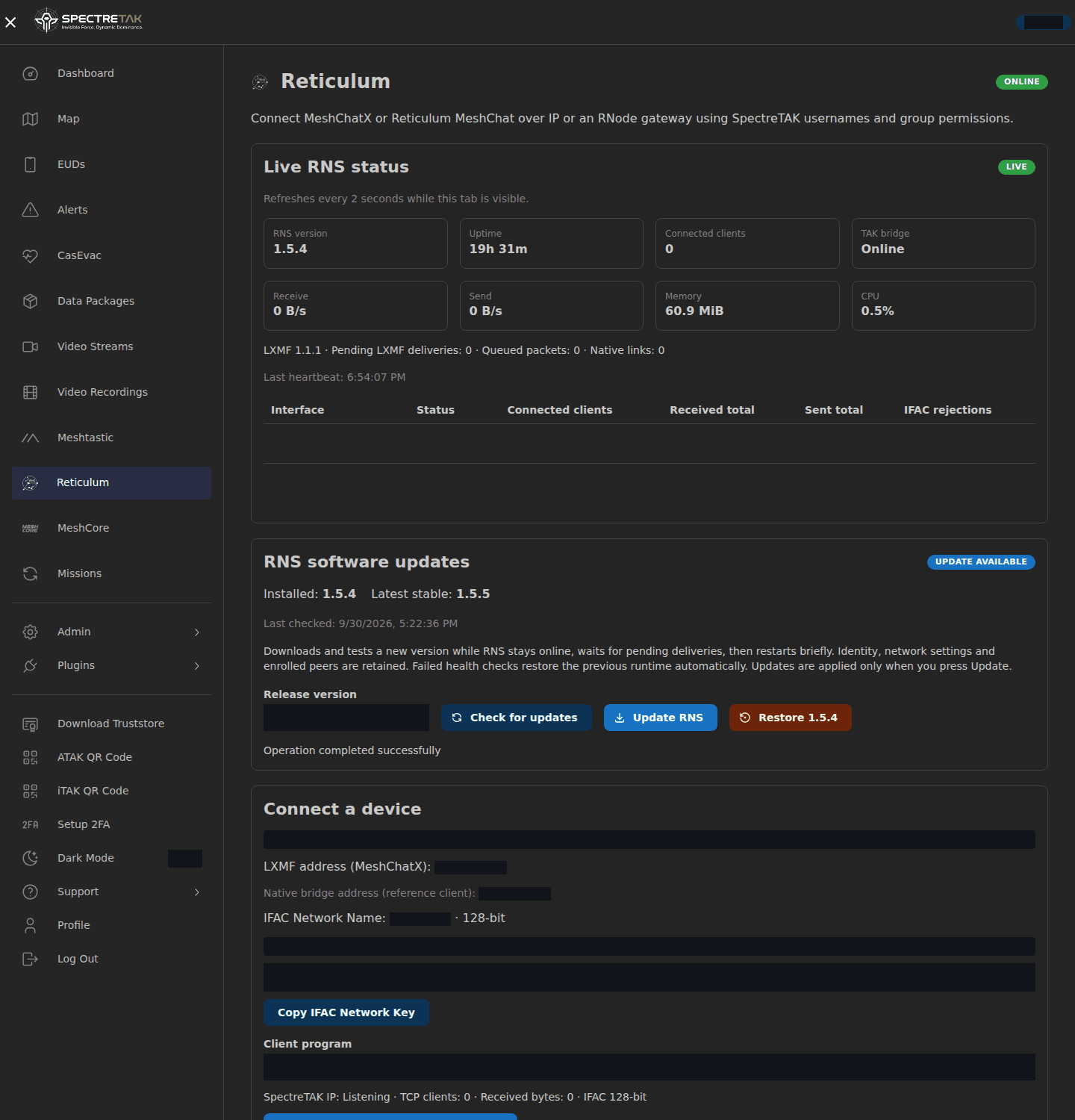
The administrator Reticulum page refreshes status every two seconds while visible. It reports RNS/LXMF versions, uptime, connected clients, CPU/RAM, receive/send traffic, pending LXMF deliveries and per-interface counters. Failed HTTP reads mark the display stale. Private IFAC keys are excluded from telemetry.
Managed RNS updates and restore
Administrators choose an official PyPI stable release. The updater verifies the wheel's SHA256, builds a separate environment and checks dependencies and identity before switching. It waits for pending deliveries, backs up protected state and requires healthy status from the new runtime. Failed checks restore the previous runtime; a control can also restore the retained version.
Preparing the new environment keeps the current RNS running. Switching includes a brief Reticulum restart and clients must reconnect. Other TAK and web services continue running. This capture shows available controls; no software update was triggered for the website audit.
Optional authenticator MFA
Web users can opt into authenticator MFA through Setup 2FA and use an OTP on subsequent logins. The current policy does not require MFA for all administrators. TAK certificate access, SSH and API tokens use their own controls.
Optional MediaMTX video and Mumble voice use separately configured IP services.
Explore the connection paths · View SpectreTAK · Discuss a deployment